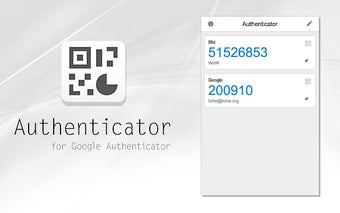
Secure and accessible two-factor authentication
Authenticator is a browser extension developed by Sneezry that generates two-factor authentication codes (2FA) directly within your browser. It provides a convenient way to manage 2FA without relying on a mobile app. The program supports multiple authentication types, including TOTP, HOTP, and Steam Guard. Designed for ease of use, Authenticator offers features like QR code scanning for quick account setup and a search shortcut, making access to your codes efficient and straightforward.
Top Recommended Alternative

Built for ease and efficiency
Setting up accounts in Authenticator is simple, especially with the integrated QR code scanning that speeds up adding new entries. The extension allows users to manage a broad range of 2FA methods, including widely used types such as TOTP and HOTP. Navigating through stored accounts is facilitated by a user-friendly search function accessible with the “/” shortcut, enabling quick retrieval of any authentication code without delay. These features combine to create a streamlined experience focused on security and ease.
However, the program lacks an Auto-Lock default feature, so the extension stays unlocked for as long as the browser session is still active unless a password is manually configured. As a result, logging into different sites during a singular browser session essentially triggers one-factor authentication instead. Users should also note that the program usually sees long periods of inactivity when it comes to updates or maintenance.
Robust backup and synchronization features
Authenticator protects your 2FA secrets with the option to encrypt them using a password, adding a critical layer of security against unauthorized access. The program supports exporting secrets as files and offers integration with cloud storage platforms like Google Drive, Microsoft OneDrive, and Dropbox for secure backups. Despite this, users are still advised to keep backups in secure locations to prevent data loss, especially when using Google Account sync.
A reliable option for browser-based 2FA management
Authenticator by Sneezry offers a focused solution for handling two-factor authentication codes within the browser environment. It supports multiple 2FA types and offers essential features such as encrypted secrets, QR code scanning, convenient search, and data synchronization across devices. There is an optional password protection feature for stored confidential data, and ensures that user account lists are synchronized across authorized devices.